
Everything on model trains, model railroads, model railways, locomotives, model train layouts, scenery, wiring, DCC and more. Enjoy the world's best hobby... model railroading!
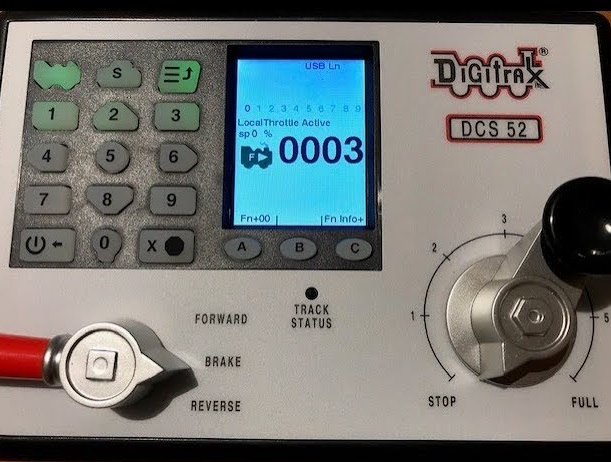
Peter asks:
“Can someone please tell me what is the cv to turn train head lights on using a Digitrax dcs52 controller?”




Peter,
Turning the head light on should only you to require you to push the “0” button. How it performs such as on or off in forward or reverse direction is controlled by one or more CV’s. The actual CV(s) in your case would be determined by the make of decoder. Check the corresponding manual for your decoder if you think these CV’s need adjustment. If you are not comfortable editing CV’s read the manual portion that describes how to do this.
I do push the FO key but nothing happens no on or off ?
Hi Peter,
0 button for lights. I am very pleased with my Digitrax controller having bought it this summer to replace a Dynamis, the best move ever.
Hi Peter,
Not sure if you got this figured out yet, but I own a DCS52. Can you try following these steps:
1. Press the loco button in the top left corner
2. Enter the address of the loco you want to operate by using the number keys
3. Press the loco button again to select that loco
4. Press the zero key a few times, this should toggle the headlight on and off. (NOTE: Don’t press any other buttons… just the zero)
If that doesn’t work then it sounds like you need to go deeper, which I can help you with… but try that first and let me know if it works for you.