DCC
Everything on model trains, model railroads, model railways, locomotives, model train layouts, scenery, wiring, DCC and more. Enjoy the world's best hobby... model railroading!

Readers can comment below.
A reminder to readers: My two new model train ebooks are now available at http://www.model-train-layouts.net/ . They are a follow-on from my “best-selling” Model Train Help ebook.
Eddie has a question for readers on DCC sound and asks:
“I have several Bachmann Spectrum steam locos, all with DCC. I would like to add sound to them .2-8-0, 4-6-0, 4-4-0, 2-4-4 forney and a rail bus. I have tried several dealers but none have answered me. Do I have to change the DCC chip or can I just add a sound chip to it? I would appreciate any help with part numbers etc. I am new to DCC so any help would be great.Thanks.”
If you can help Eddie, please comment below.
Jay shares his comments on DCC:
With DCC:
You have, Constant lighting, programmable consisting, acceleration, motor control, Effects lighting, and the ability to address each locomotive even if they are on the same block, and many more features.
With DCC & Sound:
You have all the above plus the actual sound of the prototype locomotive, I am addicted! Warning: Once you run you system with sound, you may become spoiled! Too much realism? Yes, and that is great!
Comment below.
Kevin is interested in converting to DCC and asks readers for advice:
“I have absolutely no knowledge of DCC. My current small layout is using DC power, but I am thinking that as I want to expand my layout etc. I should look into DCC. What is needed? And, is this a good thought. I only have 2 locos at this stage so to either sell them or convert would not be a major hassle. I would also like to use Bachman track as I do have some at present and like it’s style but find that it is most dificult to locate 3 foot lengths. Do thay make it and where would one be able to check it out.”
Comment below.
Remember if you see something you like on this blog and you would like to share it with friends in the hobby then your welcome to use the facebook and twitter buttons bellow each posting.
Also if you have a website you make like to add the RSS feed in the top right hand column. To add a live feed of this blog to your own model train website.
David has a G Scale layout and asks readers:
“How do I connect my LGB motor points to my Bachmann dynamis via a ESU point controller. I would like to understand the wiring diagram as the LGB points only have two connections and you have to reverse the connections to open and close them.”
Add your feedback below.
Ron is a newbie who needs some advice from those who have been in the hobby for some time. Ron asks readers:
“I am fairly new at this hobby. I have built a new layout using DCC controls. I have a number of engines and cannot reset the controller to the new engine codes. I have followed the manufactures directions but obviously doing something wrong. Any help appreciated.”
If you can assist Ron, then please use the green comments link below to add your feedback.
Remember, you can also use the Facebook and Twitter links below each posting to advise friends of what’s happening on nthe blog.
Mike Williams (a regular reader) contributes…
DCC or Digital command control is a type of train operation that involves a fully electrified railway system. Essentially there is always electricity running through the rails, whether the train is moving or not.
A digital command control system allows model trains to operate independently. A layout can have multiple locomotives with multiple functions controlling the train speed, sound, lighting, direction, and movement. Decoders are small pieces of electronics that gets fitted within each locomotive. The decoder listens to information in the track.
DCC Decoders can be purchased from many different online retailers and in stores. Typically you will want to purchase a NMRA or National Model Railroad Association certified DCC decoder to ensure you have a high quality device. There are several choices of DCC decoders worth considering.
Mike is a keen model railroader and enjoys his model trains.
Keen model railroader Mike Williams contributes:
For those who are tired of the more traditional DC method of train operation, DCC Digital Command Control is always a viable option. DCC requires precise wiring, and it is a bit restrictive in some ways.
When building any train layout you will need to run wiring throughout your benchwork, and if you are not careful you will end up with your benchwork being immovable. For example, if you wire your table in such a way that the wires cannot be disconnected, or at least the circuit boards dismounted, you will have a bit of trouble taking your setup to a train show.
As far as your locomotives go, the first things you will need to take care of are the DCC decoder installations. Typically you will only be doing this on one train, but if you have more then you will need to make sure you have a DCC decoder for each of them. Most model trains will have the ability to be disassembled, and the decoder can be installed.
Mike is an enthusiatic model railroader who enjoys model trains and writing.
Mike Williams contributes:
It is important to ensure that you get the right DCC decoder for your train scale. It can be difficult to get a DCC N scale decoder. The problem with small trains is the lack of space within the locomotive shell to install the decoder. If you have steam locomotives, you could install the DCC N scale decoder in the tender behind the locomotive. The idea here is to install it without making it entirely obvious that it is installed. All model trains are different, and there can be a different installation method for each one of them.
If you are unsure of how to install your DCC Decoder, you can have your local hobby shop do it. They will give you the information you need to do it yourself the next time. Of course they might charge a fee for this service, but it will at least keep you from making any mistakes and ruining the decoder before you even get a chance to use it.
Installing switches throughout your track will ensure the continued operation, and if you don’t want to operate blindly, you can always install LCD monitors. There are actually software programs that you can use to control the movements of your train if you so desire. Many say that doing this takes the fun out of the hobby, but this is a rapidly evolving hobby and you may prefer to keep up.
When you are wiring DCC layouts, you need to do it carefully and consistently. Remember that you are dealing with electricity, and there will also be power flowing through the tracks. In other words, don’t put your tongue on the tracks. If you want to find more information on setting up your wiring layout, then you can ask around at hobby shops or even check out a book that has more detailed information. Wiring DCC layouts (or DC) can be a very difficult task, but if you can pull it off – your train set will create a very rewarding experience for you and everyone that comes to watch it in operation.
Mike is a keen model railroader and enjoys his DCC trains.
Mike Williams contributes this article:
A DCC controller system will create a major advantage for your model train system. Not only will you be able to control it with electricity, you will have complete control of the entire system, which is very impressive when you are dealing with model trains. Honestly, you can have a basic train set that goes around the track and occasionally switches tracks, but when you have a Digital Command Control system, you can make your scene really come to life!
You can actually create your own programs, and cause the trains to move realistically. This is great for train shows and public displays, and is a model train operator’s dream. There are a few different systems out there, some of them better than others, but since many people are just starting out with their DCC systems, so let’s do a DCC controller comparison, starting with the lowest end system out there.
Atlas Commander: For those who are novices in DCC operation, this will work great. Featuring eight function keys, this device can deal with seven cabs. You cannot program on the fly however, which will disappoint some people. Again though, this is for beginners and those who do not want to deal with a highly complicated system.
Zephyr: This is also a popular system, and quality is just what you will find in all Digitrax DCC decoders. It has two jump ports that allow DC power packs to be connected, which is something that many other DCC decoders lack. If you wish to use a computer, then you can connect it using LocoNet in conjunction with Locobuffer II.
Prodigy: The NCE Lite has a rating of 3.5 amps and has the ability to connect to another cab bus. Right now though you will only find one handheld controller for it. Luckily the system does have a cooling fan, unlike some. So let’s face it, we like building things, but needing to build a cooling fan for DCC is just irritating. This device comes with 19 functions keys.
To add to the realism it helps to have a DCC sound system. There are a few different types, some of which can include realistic sounds, and of course the standard train horn. Many of the sounds are recordings of trains in the real world, or even museum bound locomotives from ages past. If you are building a historical scene, there’s nothing better than having sounds reminiscent on a 1900’s locomotive barreling through town. Mind you if you are recreating a mid twentieth century setting, you may not have sound at all because citizens in Florida deemed the train horn to be a nuisance and without purpose. That however, is another story for another day, and an amusing one at that.
These are a few DCC systems available including Atlas Commander, Lenz systems, NCE Power Pro, Digitrax DCC systems, and you no doubt find one that suits your needs. Just remember to shop within your experience level, and of course keep your power requirements in mind. You can always upgrade later!
Mike writes on a variety of subjects. He is a keen model railroader and loves his model trains.
Mike writes:
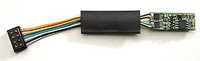
With digital command control (DCC) decoders are used to control each locomotive. A model railroader can set the decoders address and control speed, special effects and motor performance etc. Most manufacturers provide programming instructions.
Your DCC decoder may need quite a bit of work on your part if you want it to work properly. DCC decoders need to be programmed which some people find confusing.
The thing is that the systems can be very different. Unless you can build your own decoder you will be forced to use someone else’s settings and they may not work for you. Nonetheless, have a look at the DCC decoder schematic and see exactly what your DCC decoder can support.
Luckily there are some DCC decoders that come with the option of DCC decoder programming, such as the NCE and Wangrow systems. In some cases it can be a long and complicated process, but there are several.pdf files out there that will assist you in changing the command station manufacturer’s settings. Some people will find this to be a bit too complicated, but there are others that will actually welcome this complication for the chance to run their railroad in the way that they see fit.
The process of controlling the DCC decoder can be made a bit easier with software intended to control the DCC railroad. There is some software that you could pay up to fifty dollars for, and there is some software that will be completely free. One example of this would be the MRC Prodigy interface for DCC controlled trains.
For added control you can always include DCC accessory decoders, which provide more options than your standard DCC decoder. For the most part these are stationary, and while they are expensive, are quite worth having. Some of these have options for auto-return, lock-block, locked route control, system reset, smart default ops, and many other settings. There are a number of reasons why one might prefer to have one of these, aside from having a control complex.
For instance if you have your train on display and don’t want anyone else to be able to exercise control over it, then you can have the DCC accessory decoders set certain parameters into it. The ability to lock-block will be especially useful in this case.
The only thing you really need to note is that this is not going to be easy by any stretch of the imagination. In some cases you will need to be familiar with computer programming languages, and there are some model train enthusiasts that know more programming languages than some of the seasoned computer technicians. This is can be a big challenge, but it might just be one that you are willing to take on. Are you ready to exercise complete control over your model train set? If so, then prepare to be amazed by the advanced programming and the control of DCC accessory decoders.
The important thing is to be comfortable with the operating system you use. Do not let anyone else in the hobby pressure you into changing from DC to DCC. Some people are comfortable with what they are familiar with and see no need to change to a new system just because someone else raves about it. Both systems have there merits.
Mike writes on a variety of subjects from internet marketing to model trains. Mike is a keen model railroader and has his own model train layout.
Raymond has a question for knowledgeable model railroaders and asks:
“I,m working Dcc and using Peco OO Track SL100. Can a reader piont me into the right pionts to use, and should I use insulators on one side off the track before the pionts? I will have the NCE POWER CAB set up and NCE smart booster SB3a. I would not like to lay track then have to uplay to put isulators in. Regards Raymond. ps my locos are over 20years old and run OK with decoders tcs t1 on test track.”
Comment below.
If you answered yes to that question, then perhaps you are able to help others by answering some of their model railroading questions on this blog? On the other hand, you could keep all your knowledge and experience to yourself and not share it with those who could really benefit from your thoughts and who would appreciate your suggestions. It is really your choice, but please remember this blog is operated as a free service and it does rely 100% on the contributions from people like you. We want to keep it free, but to do that we need regular contributors who are prepared to answer some of the many questions that get asked. The alternative is for us to pay someone to answer all the questions, but then we would have to charge a subscription to the blog and we don’t really want to do that.
So, if you can help by answering some of the questions on this model train blog, then please do.
Fred has a question for those who have already converted to DCC and asks:
“My HO track setup was huge project for me, being a first time model railroader. It is a C shaped setup that is 8′ x 12′ with a 4′ x 4′ square cut out in the middle where the control board is located. I forget how many feet of track there is, but it consists of four separate power systems that are all connected so I can run a train off one system on to another system.
There is also an elevated track looping around the entire setup. The control board I designed myself and is extensive. There are the four transformers for the four separate systems, and then another four transformers to power all the switches and lights (the lighting system is very extensive and requires a lot of power).
My question is what is involved in switching to DCC? I have so much work as well as money invested in what I have now but I read about the things that you can do with DCC that it makes me really interested in making the switch. But I know nothing about it and what I have to do to make that switch. How much of my control board can I use and what needs to be removed and replaced? I know the answer would be pretty involved, but I’ll take whatever advice anybody can contribute to this question.”
Add your feedback below.
Dick wants to convert locos to DCC and asks readers:
“Is it possible to convert a older steam locomotive with a split frame motor to DCC?”
Add your program below.
Phill has a brief question for readers on wiring Bachmann turnouts to DS-54 Digitrax’s:
“How would you wire Bachmann’s remote control turnouts with Digitrax’s DS-64 moduals?”
Comment below.
Chuck sent in some thoughts relating to an earlier posting on the blog and comments:
“There was a question as to ‘is a program track necessary’. The response to the question was that signals are sent to the loco via radio signal and an actual program track would not be necessary.
First of all someone needs to understand DCC. A throttle or ‘cab’ as some call it, is either tethered or some work infrared and or radio wave, but the cab sends the commands to the command microprocessor which translates your command into a digital signal that is made for one decoder address. This process is very specific and sent to the decoder hidden in the digital AC power that is supplied the the track by the booster. It is not sent to the decoder via radio.
Now as to the need to a program track. I say yes, you need a program track. Reasons are many but firstly, any programming done on a layout means all decoder on the track that is being used as a programming track will be programmed, if there is only one or more. Secondly, while different systems allow ‘on the fly’ programming where the program is sent to one specific decoder and all the other decoders on the track ignore the new program, because it is sent ‘decoder address specific’, it works well when everything is new and track rails are clean of all oil film, dust, oxidation, good rail joints, distance from booster, size of wire used in the layout, the number of rail-to-power connections, wheel to rail connection (not the best in the real world), need I go on.
In short if you want to program a decoder, why take the chance of the program that is sent through the rail to a decoder, requiring a good connection, with all the variables. It is so much simpler the have a programming track long enough to have the unit being programmed, either connected the your layout, but isolated, through a turn out or separate of the layout. I say take the time and expense of doing it right not trying to cut corners and cause problems and/or grief.
Sorry, I just get so worked up by what is a simple thing and some make it out to be a major project, costing lots of money. At the most, a turnout, two rail isolator joiners, a double pole – double throw micro switch, a couple pieces of track, some wiring and if you want to be fancy a bumper for less then 25 bucks.”
Feel free to comment on this posting and add your own thoughts on the subject. Use the comments link below.