DCC
Everything on model trains, model railroads, model railways, locomotives, model train layouts, scenery, wiring, DCC and more. Enjoy the world's best hobby... model railroading!

Kane posted this question:
“I surprised myself by getting DCC++ and JMRI working on my layout. Will current draw detection responding across the whole block be needed? I obviously want trains to pass into adjacent blocks, so would like to know the options I have. Thank you in advance.”
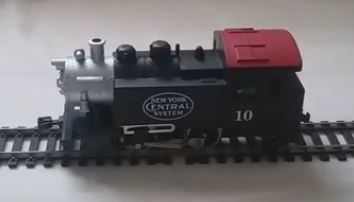 In the spirit of Watty Piper, author of “The Little Engine That Could”, Ron submitted this question:
“I have a charming little engine that I’m sure I can hear puffing out ‘I think I can, I know I can’. I get the feeling it wants to grow into a DCC engine, and I would like that too! My little switcher is an 040 by Model Power. It was cheap to buy (no offense little engine), so I am uncertain if it can ever become DCC? Can someone say yes or explain how I am to break the bad news to my little engine if it can’t ever become DCC? Please help!!!”
Malcolm writes:
“I just spotted Peter’s question about lights with his dcs52 control. I also have a dcs52 but my new Bachmann engine is running opposite to how the throttle is set. Why would this be the case? Thank you.”
If you can advise Malcolm, please use the comments link.
Don’t forget to post your own questions using the Ask A Question link.
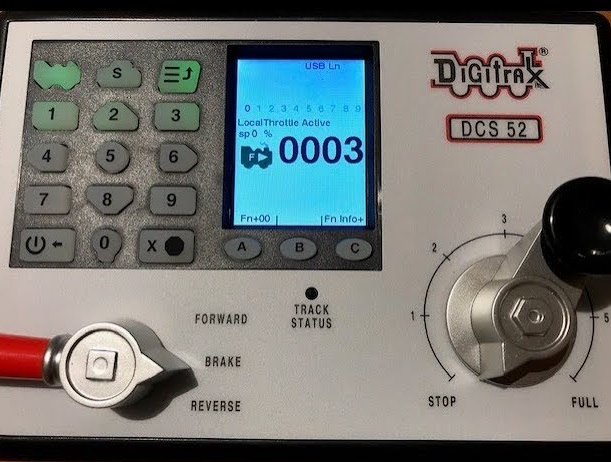
Peter asks:
“Can someone please tell me what is the cv to turn train head lights on using a Digitrax dcs52 controller?”
Russell posted this question:
“I figured how to instal an LED strip light in a passenger coach and power it from the rails on my DCC layout without using a decoder, but I can’t figure how to turn the lights off without taking the coach off the rails or using an isolated track section. I thought this would be a handy detail when the coaches are stationed at a platform or on a siding waiting to be put into use, but am not sure how to achieve this. Have you done this? How?”
Shirish writes:
“I am fresh to this hobby. I bought an InterMountain Railway Co. Loco SD40-2(W). When I run this loco with any other loco, the other loco even when on the siding or stationed on the main, it starts running in reverse without any command. Plus, when both are running on the same track, the other loco stops and then starts running at full speed. Can someone suggest a solution to the problem?”
Andrew posts:
“I am currently using a Hornby DCC controller, with a GWR Castle class OO locomotive, It starts like it’s supposed to but once it reaches its running speed it suddenly accelerates to as fast as it can, even if I try to slow it down with the controller. It won’t respond until I use the emergency stop. Does anyone have any ideas as to what is happening? I currently have it running on the default number 3 DCC address.”
Peter posted this:
“I am new to this hobby. I just started working my HO layout. I have three main lines. I would like to know how to run one of the three locos in another direction. I have a Digitrax dcs52 command station. Thanks in advance for any help.”
 Steven writes:
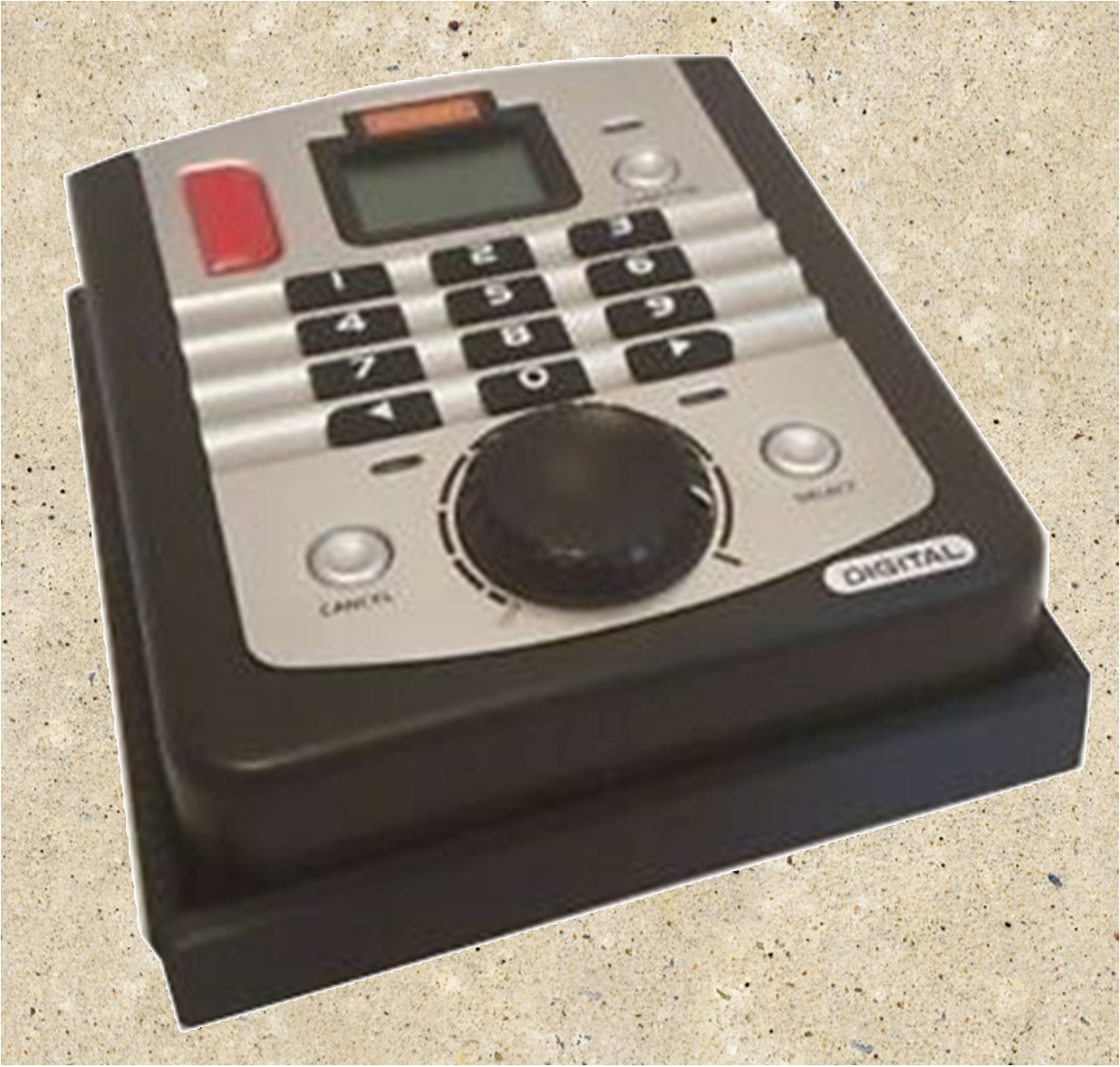
“I’m quite new to this and in the early stages of building a DCC layout, and just tested my first loco. I am experiencing a few problems with my Hornby Select Controller. My loco moves even when I have the speed controller is set at zero. The direction switches don’t seem to have any effect. This problem will be basic for some, but for me, it is a complete mystery. Help would be good. Thank you in advance.”
Paul writes:
“I picked up a supposedly never used N-scale DoodleBug the DCC version. After just a short time on the track, it abruptly stopped. The lights are working but there is no drive power. I am unsure what to check for. Any suggestions would be great thanks.”
Please add any suggestions below if you can assist Paul.
1. DCC is complicated and too technical for new users and beginners.
Not at all. In fact, many users find DCC more convenient and easy to follow than their traditional DC or analog railroad models. There are no isolated sections that you need to worry about, nor any switches that you will have to throw.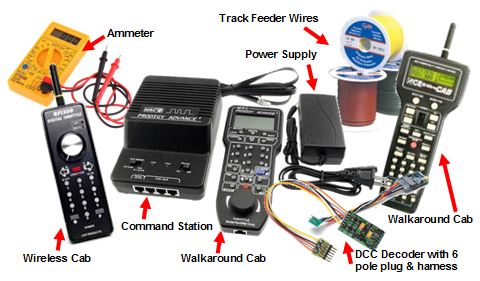
You can control more than one train at the same time without worrying about wiring and additional constraints.
Setting up the system and controlling accessories and other equipment like lighting and sound can be done by just pressing a few buttons. If you can use remote control, you can simply run a DCC layout as well! It’s that simple!
2. I will have to convert all my old and favorite locos to DCC.
Most of the trains today come with the option of adding a socket that can be used to install the decoder in. Thus, they can be easily used with a DCC layout without having to change them or discard them.
However, even if you have some older models of locos that cannot be used with DCC, you do not have to let them go.
The same DCC layout can be used to run DC trains as well, however, not preferably at the same time.
So, it is a good idea to purchase some DCC ready locomotives for your new layout and utilize the older ones in the traditional DC format within the same railroad model. Twin advantage!
3. I will have to get rid of my old DC blocks in the Layout.
It is not necessary. You can leave your old DC blocks in place and then turn them all on. However, the problem of reversing loop which will occur will have to be sorted out through a reversing loop module.
These reversing loop modules can automatically detect the loop and switch the power between the tracks so that a short circuit is avoided. So, in short, you do not need to make any drastic or major changes to your layout! A little touch up here and there will do the trick!
4. Only 2 wires are needed for DCC operation.
This can be both true and false. Although it is true that you need two wires to power up the tracks and send them the signals, you will need extra feeding wires to connect the BUS wires and power up the rails after every few feet.
So, in simple words, there will be two wires that will leave the controller with the signals, and then they will be distributed into a few feeder wires to power up the entire layout.
Actually, the DCC power BUS, the main wiring in the layout, consists of two wires, red and black, that can be attached to the track and make the train run.
However, extending it to feed the track every few feet will result in a more efficient and trouble-free operation. Also, some other wiring on the layout will include the feedback BUS and the booster connectors if used.
5. Without defining DCC safe or friendly points, my layout will not run.
DCC safe points are nothing special – it just requires that the connections are done keeping the right polarity in mind so that no short circuits occur in the layout. As DCC is more sensitive to shorts, therefore the point work needs to be done accurately and then soldered correctly.
To make the switches or turnout points DCC friendly, the polarity of the frog needs to be considered.
Either, it has to be made completely isolated from the adjoining rails, or if it is a live frog, there needs to be a switching mechanism present to switch the polarity so that the frog has the polarity the same as that of the inside rails of the exit track.
6. DCC involves computer control.
It is helpful to use computer control, but it is entirely not necessary. DCC can easily be controlled manually through the controller and the cab, and you do not need to work on a computer or use complicated software to run the trains on a DCC layout. It will just be like your traditional railroad layout – only with a touch of more ease and added control!
7. I am a programming novice and DCC involves programming before use.
When people hear the word “programming” they instantly think of complicated codes, computer interface, and complex procedures. However, when it comes to DCC programming, you can easily refer to it as “configuring steps” or “set up procedure”.
DCC does not require any extensive programming as such, in fact, if you are a beginner you can easily purchase factory-ready decoders and equipment that do not require any additional setup from your side. Just installing the decoder will make the layout work and trains will start moving right away.
The only “programming” bit that you will need to do when using a DCC layout is allocating each of the trains on the track a separate address so that they can be communicated with the right signals from the command station.
This involves just a few key pressing on the controller so you need not be afraid of it! When starting, just leave the settings as it is. As you advance, you can play around with the settings and make it more feasible to your requirements.
8. The layout will have to be rewired for DCC to work.
Wiring for DCC can give the chills to new users, thinking that they may have to rewire the layout from scratch and make complicated adjustments and additions to the layout to get the trains working.
However, this is far from the truth. DCC wiring is fairly easy, simple, and straightforward. Just the track has to be powered with the right polarity and the joints soldered correctly to avoid any short circuits. All your locomotives on the track will be electrically isolated, so you do not need to worry about individual wiring constraints at all!
9. There is no reference or help available in my area.
Having some extra help down your sleeve can always be a great resource, especially if you have friends in your circle that share your hobby or there are clubs where railroad modeling enthusiasts gather and discuss ideas.
However, if you do not have the right resources at your aid, the internet is always a good place to start. There are several websites that guide users from basic to a professional level. One such resource is http://www.dccmodeltrains.org
Klaas writes:
“My kids tell me to do what I have been dreaming of for a long time, building a HO model modular railroad. My kids surprised me with a gift of a locomotive. I want to build in modules so I can move the layout out of the house if needed. I have read a lot about Rail Pro by Ring Engineering, and it looks like something I might like to use as on their website information it claims you can also run DCC on their system. What is your opinion, what are the Con’s and Pro’s of both Rail Pro and a DCC system? Do people prefer other systems?”
Add your comments (suggestions/opinions) below.
Darryl is hoping for suggestions:
“I am about to embark on my first model railway journey and not sure where it will take me, but I know it will be DCC. What systems do you recommend that are for starting off and expandable for the future? I want something reliable too. Thanks in advance.”
Share your thoughts, experiences, and opinions with Darryl using the COMMENTS link below.
Victor asks readers:
I have a Digitrax DCS 52 controller without a power switch, but it does have a track power switch . I’m in the habit of unplugging the power cable from the controller after each session, but I have forgotten a couple of times. I am nervous leaving it on over night. Does anyone leave their controller plugged in all the time? Can I just switch off the power to the track when not in use?
Contribute your opinions and answers below using the COMMENTS link.
Max writes:
“I got my DCC Bachmann GP-35 out to give it a run after sitting it its box for several months, but the motor is buzzing and humming, and surged when I tried to move it. Maybe the voltage or the brushes are causing it?? I recently cleaned the track and originally got it with the decoder installed if that helps. Any thoughts?”
View or add comments below.
Jim asks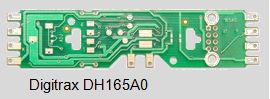 :
:
“I have recently installed a Digitrax DH165A0 into my Atlas C-425 engine. How do I set the direction of the engine to control the forward and reverse lighting?”
Liam writes”
“I got a Kato HO SD90/43MAC on eBay (#176-5611) and want to fit a sounder decoder. Stupid question I know, but does a sound decoder also have a regular DCC decoder? Which one should I get and will the speaker, which I presume comes with it, fit ok?
Craig W sent in this tip:
“With a DPDT switch you can alter the polarity manually when on a reverse loop. It can be done with the track before the reverse loop. You would need to double insulate each end of the rail loops.
DCC requires insulating each rail at both ends as mentioned previously and having an auto-reversing circuit mounted to feed the reverse loop. You won’t notice the engine slow down whereas with DC you would likely stop the engine, change polarity to the track, reverse power to that track to proceed. However, when using DCC the reversing circuit is the way to go for this.”
If you would like to comment on what Craig said, then post your thoughts below.